Table of contents
Open Table of contents
The “I’m 10 Blocks Short” Nightmare
I’m writing this because I just ruined a perfectly good survival session. I was 200 blocks up in the air building a massive glass dome for my new mega base, only to realize I was exactly 12 blocks short of closing the roof.
I had to drop everything, burn my last firework rocket, fly 3,000 blocks on my Elytra back to my desert outpost, smelt more sand, and fly back—all while hoping a Phantom didn’t knock me off my scaffolding.
Guessing your materials is for noobs. If you’re building a megastructure in a Hardcore world or a Vanilla SMP, you need to know exactly how many Shulker boxes to pack before you leave your storage room.
Why 2D Charts Fail the “Circle Test”
Most basic Minecraft sphere planning tools are 2D pixel charts — a flat layer-by-layer grid that hides the full volume math.
- The Problem: A flat image doesn’t tell you the Volume.
- The Reality: You can’t calculate a 3D sphere in your head.
A sphere is just a stack of circles with different diameters. If you use a static image, you have to manually count every single layer. That’s how mistakes happen.
Solid vs. Hollow: Saving Your Grinding Time
Unless you are filling your build with TNT or making a solid Deepslate meteor, you are likely building a Hollow sphere. But standard math formulas give you the solid volume, which is a massive waste of time.
Check out the difference for a standard 32-diameter build:
- Solid Sphere (Diameter 32): 17,256 blocks (270 Stacks).
- Hollow Sphere (Diameter 32): 2,928 blocks (46 Stacks).
The Verdict: By using our 3D minecraft sphere generator and toggling FILL MODE to Hollow, you save 83% of your mining time.
The Cheat Sheet: Exact Counts at Common Diameters
These are the exact totals the generator reports (hollow = 1-block shell), with the Shulker math already done:
| Diameter (blocks) | Hollow total | Hollow stacks | Solid total | Solid stacks | Hollow saves |
|---|---|---|---|---|---|
| 13 | 450 | 7x64+2 | 1,189 | 18x64+37 | 62% |
| 17 | 762 | 11x64+58 | 2,553 | 39x64+57 | 70% |
| 21 | 1,250 | 19x64+34 | 4,945 | 77x64+17 | 75% |
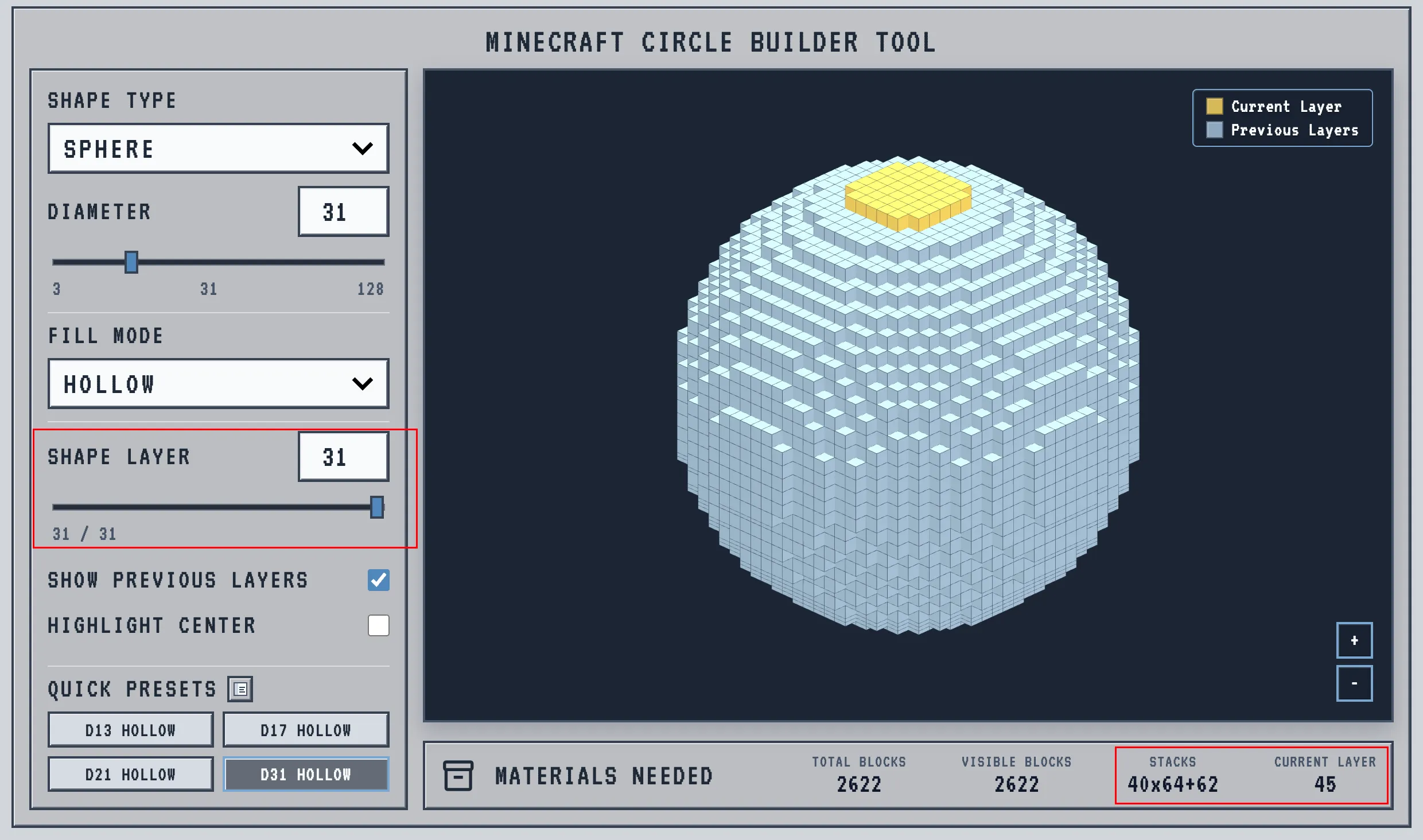
| 31 | 2,622 | 40x64+62 | 15,515 | 242x64+27 | 83% |
| 32 | 2,928 | 45x64+48 | 17,256 | 269x64+40 | 83% |
| 63 | 12,146 | 189x64+50 | 131,155 | 2,049x64+19 | 91% |
Any other diameter: open the sphere generator, type your number, and read the same math off the Materials panel.
My Survival Workflow for Perfect Spheres
I built MCShapes because I was tired of doing math. Here is the most efficient way to use it so you never mess up a build again:
1. The Beacon Rule (Odd vs. Even)
Before you lay your first foundation block, look at your diameter:
- Odd (e.g., 33): Gives you a 1x1 center. Perfect for Beacon beams.
- Even (e.g., 32): Gives you a 2x2 center. Best for double-door symmetry. Get this wrong, and you’ll have to tear down the entire base later.
2. The “Potato” Problem (Use Quick Presets)
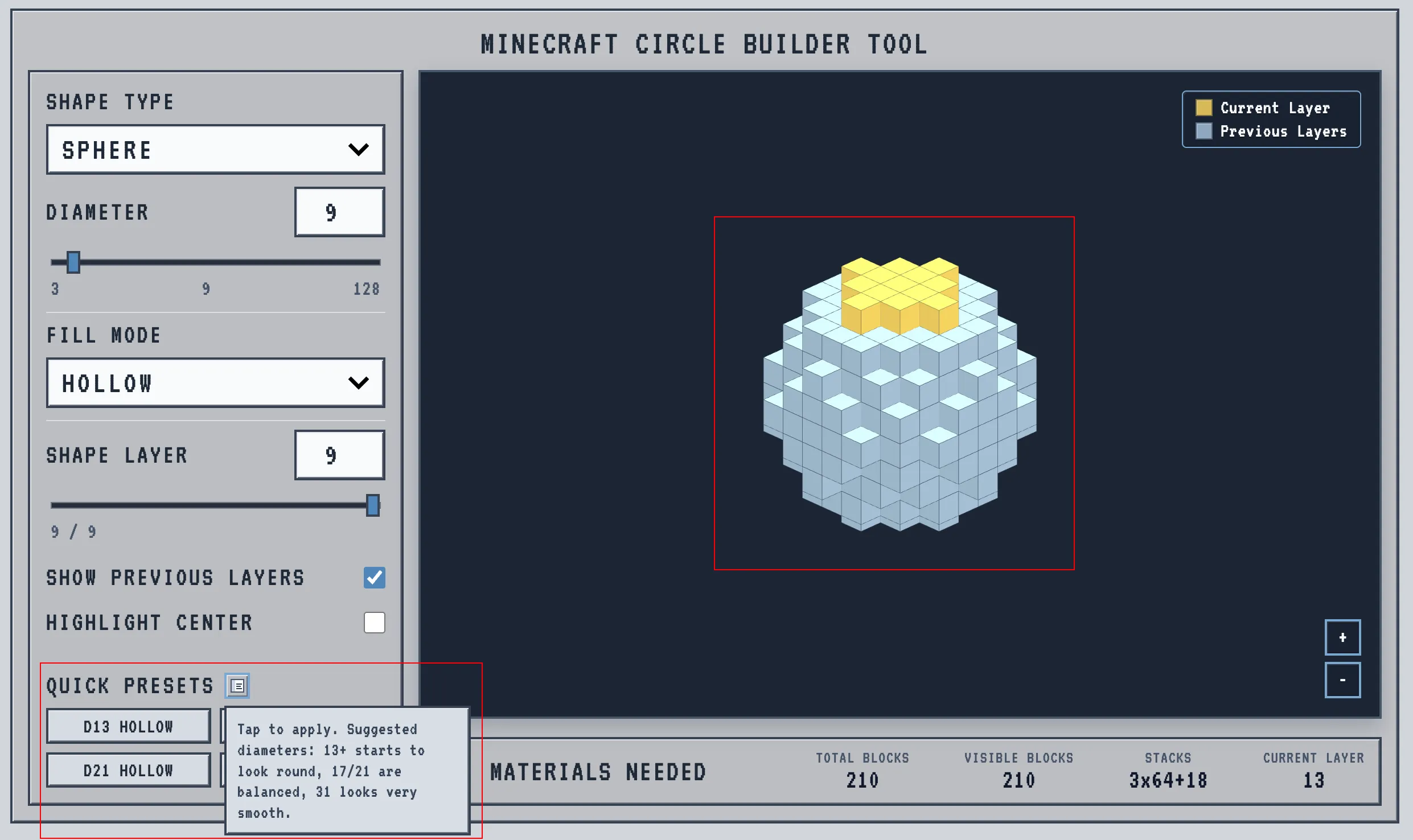
“How big should I make it?” If you build too small, your sphere looks like a blocky potato. Instead of guessing, use the QUICK PRESETS panel. I’ve mapped out the best voxel ratios for survival builds:
- 13 blocks: The absolute minimum diameter where it starts to look round.
- 17 / 21 blocks: The perfectly balanced sizes for medium bases or Creeper farms.
- 31 blocks: Looks very smooth, perfect for large-scale domes.
Just tap a preset and it instantly locks in the perfect shape.
3. Pack Your Shulkers and Hotbar (The STACKS Panel)
Look at the MATERIALS NEEDED panel at the bottom. I built this to handle both your master grocery list and your layer-by-layer hotbar math.
- The Macro (Total Build): When you load up a massive dome, it doesn’t just spit out a useless raw number like
2,622 blocks. It gives you the exact Shulker box math:40x64+62. Grab exactly 40 stacks and 62 loose blocks from your storage room. No calculators needed. - The Micro (Layer-by-Layer): This is where it gets good. As you use the SHAPE LAYER slider to move up your build, the
VISIBLE BLOCKSandSTACKSnumbers dynamically update. Slide to your next layer, check the updated math (e.g.,1x64+12), and put exactly that amount in your hotbar. Climb your scaffolding, build the yellow highlighted ring, and when your hotbar is empty, the layer is perfectly finished.