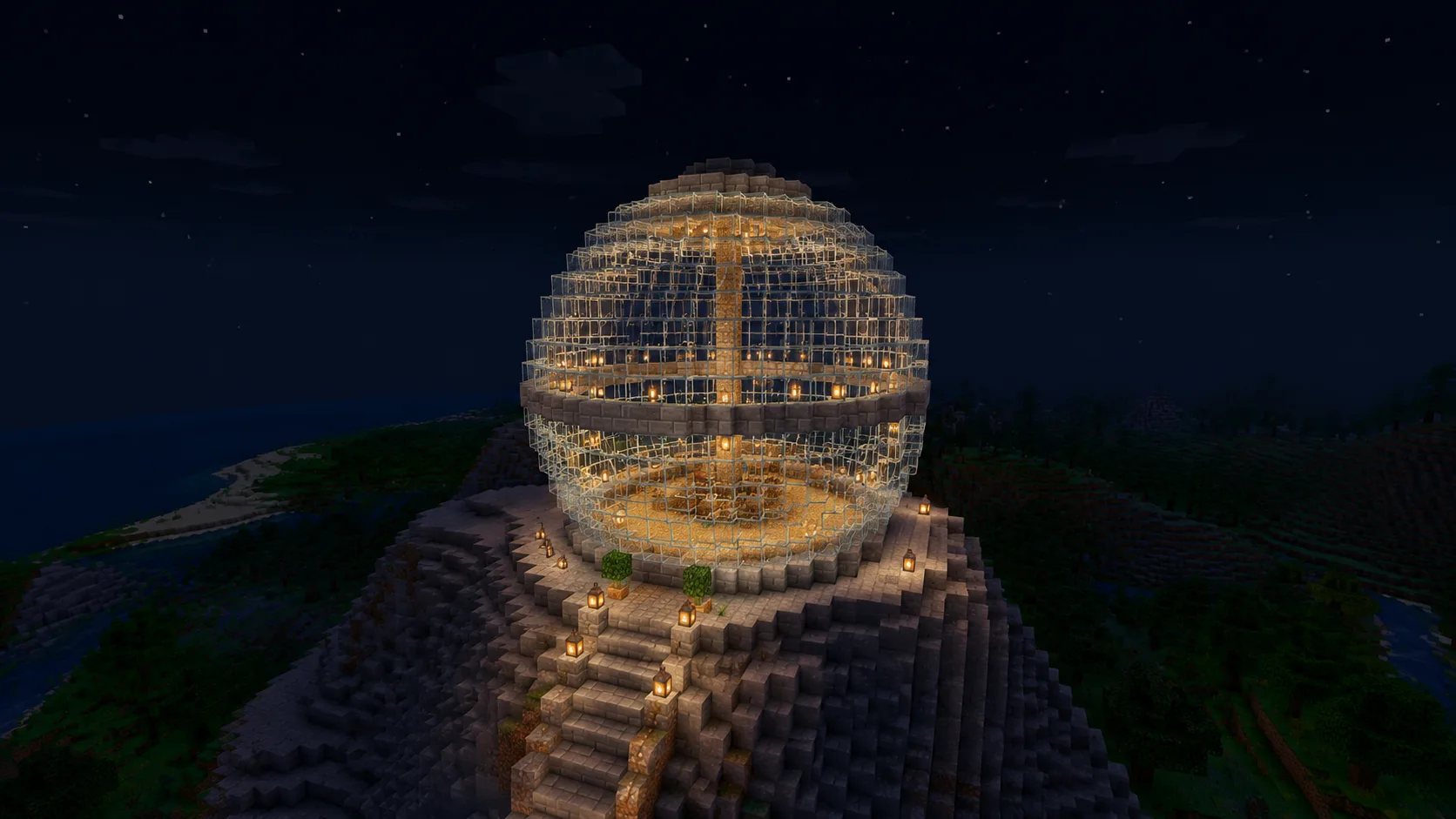
Glass Observatory
A hollow glass sphere makes a clean star room or sky-base lounge. Diameter 21 gives a usable interior without a week of smelting.
A sphere is a stack of circles that grow to the equator and shrink back down. The generator above plans every ring; these six steps place them:
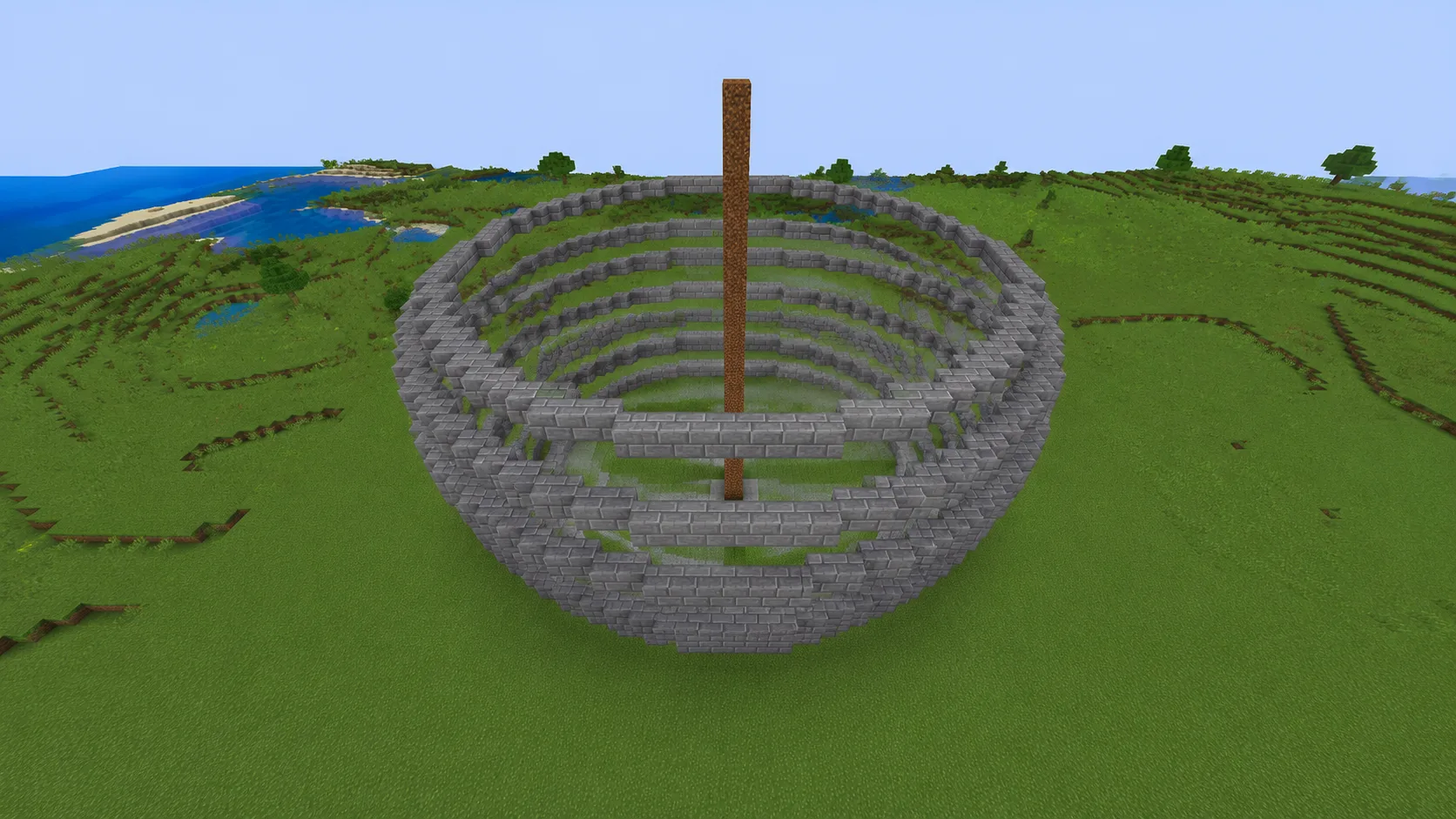
Lower cap done, climbing toward the equator ring by ring
Set the Diameter and Fill Mode. Hollow builds the shell only — the right call for almost every sphere.
Mark the center block at ground level and build a throwaway pillar up it — every layer aligns against this axis.
Shape Layer 1 is the small bottom ring. Copy it block for block — cap layers are where miscounts hide.
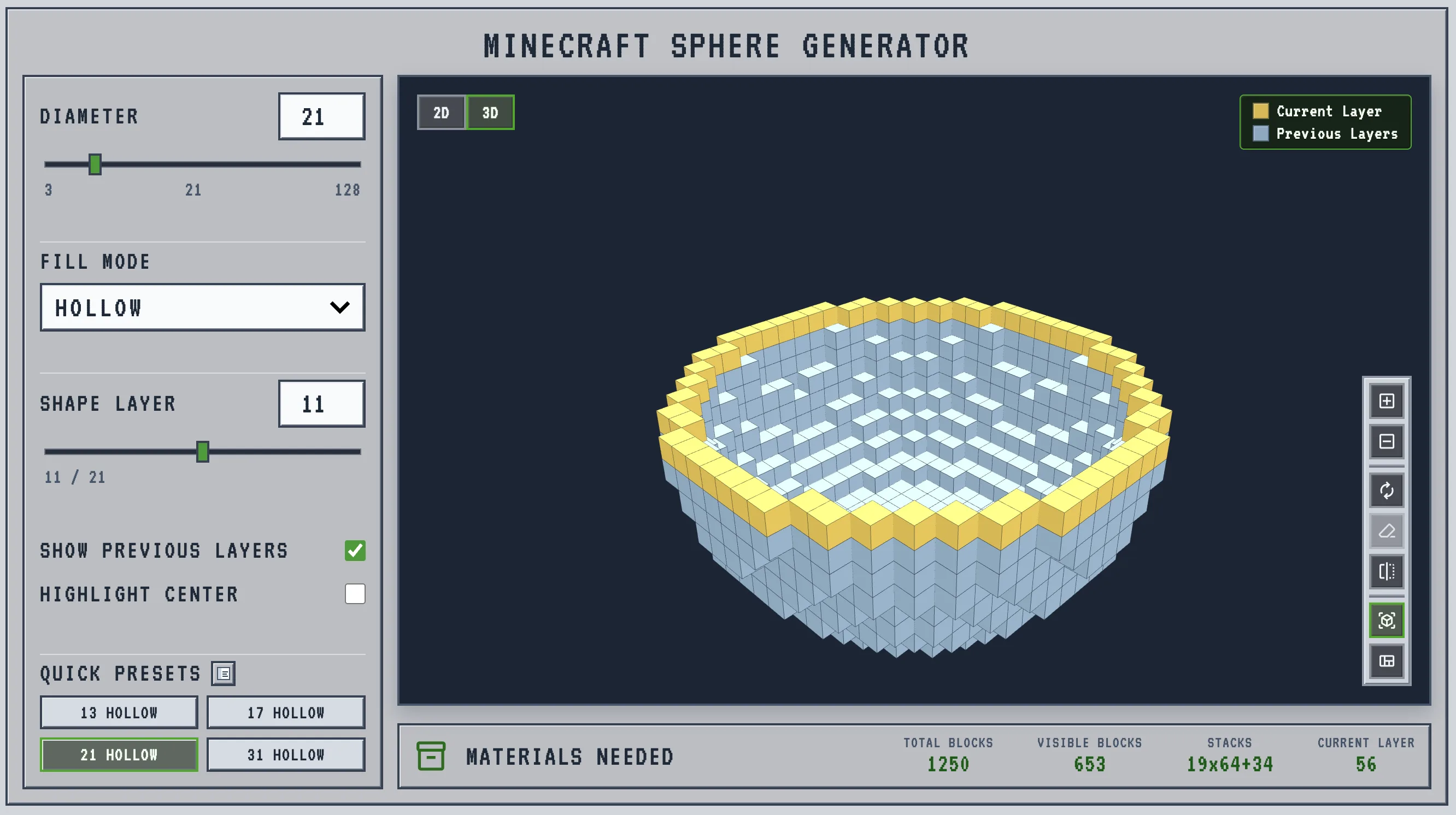
Step the slider up one ring at a time. Yellow is the ring you place now; gray is what's already done below it.
Current Layer prices the active ring. If your placed count differs, fix it now — not five layers up.
Above the equator, layers repeat in reverse. Reuse the patterns you already built, shrinking back to the top cap.
Want the same walkthrough with screenshots and worked examples? Follow the full sphere building tutorial.
A Minecraft sphere is not one circle copied upward. Each layer changes diameter, the curve steps inward at different moments, and one wrong ring makes the whole ball look lopsided from a distance. This Minecraft sphere generator computes the full voxel shell first, then lets you walk the build ring by ring before any block goes down.
Set the Diameter (3 to 128) and the 3D preview rebuilds instantly. The Shape Layer slider walks you from the bottom cap to the top: the ring you place now shows in yellow, finished rings in gray. Fill Mode switches between the hollow shell and a solid ball, and the Materials Needed panel keeps a live Total, Visible, Stacks and Current Layer count as you drag. Building only the top half? Use the Minecraft Dome Generator.
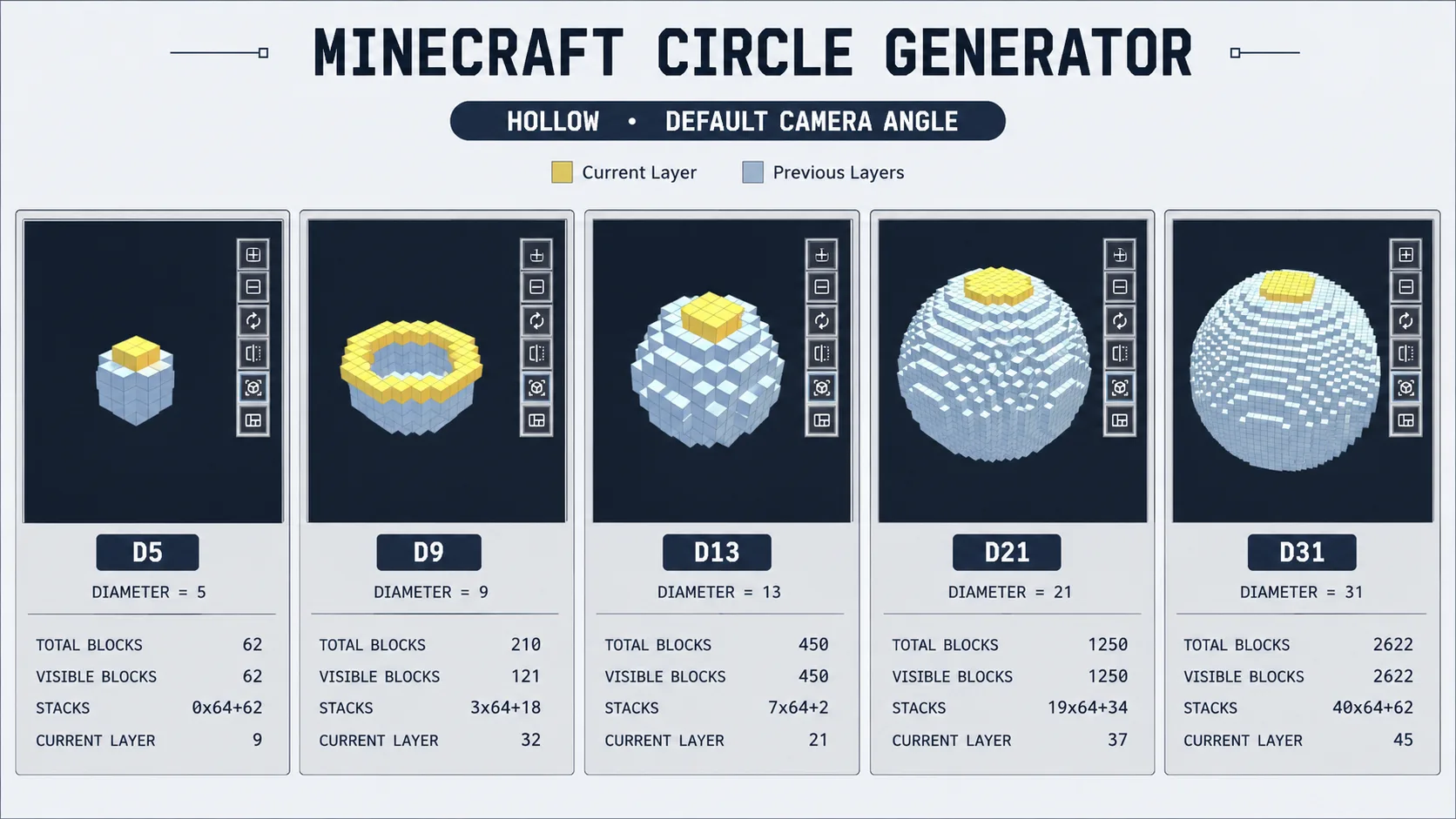
The generator supports diameters from 3 to 128, but visual quality jumps at certain sizes. Below 13 blocks across the shape reads as a cube with rounded corners; above 31 it becomes smooth from any normal viewing distance. Pick from the table based on what the sphere is for.
| Diameter (blocks) | How it reads | Best for |
|---|---|---|
| 9 | Still blocky, but usable up close | Lanterns, ornaments, tiny cores |
| 13 | First size that starts to look round | Small planets, tower caps, decorations |
| 21 Sweet spot | Balanced survival default | Glass rooms, sky-base centers, moons |
| 31 | Smooth silhouette from normal distance | Observatories, planets, centerpiece bases |
| 63+ | Megabuild scale | Server hubs, giant planets, lore builds |
Hollow is the survival-friendly default because a sphere is usually a shell: a glass observatory, a floating planet, a snow globe or the rounded outside of a base. Solid fills every interior block, and that cost grows much faster than the shell as the diameter climbs:
| Diameter (blocks) | Hollow blocks | Solid blocks | Solid ÷ Hollow |
|---|---|---|---|
| 13 | 450 | 1,189 | 2.6× |
| 21 | 1,250 | 4,945 | 4.0× |
| 31 | 2,622 | 15,515 | 5.9× |
| 63 | 12,146 | 131,155 | 10.8× |
The practical rule: if players will see or walk inside the sphere, start with Hollow and let the live Total Blocks counter price the shell. Switch to Solid only for small dense objects. For what Total, Visible, Stacks and Current Layer each mean, see the Minecraft sphere block count guide.
The complete ball, bottom cap to top: planets, orbs, cores and snow globes all start from this tool.
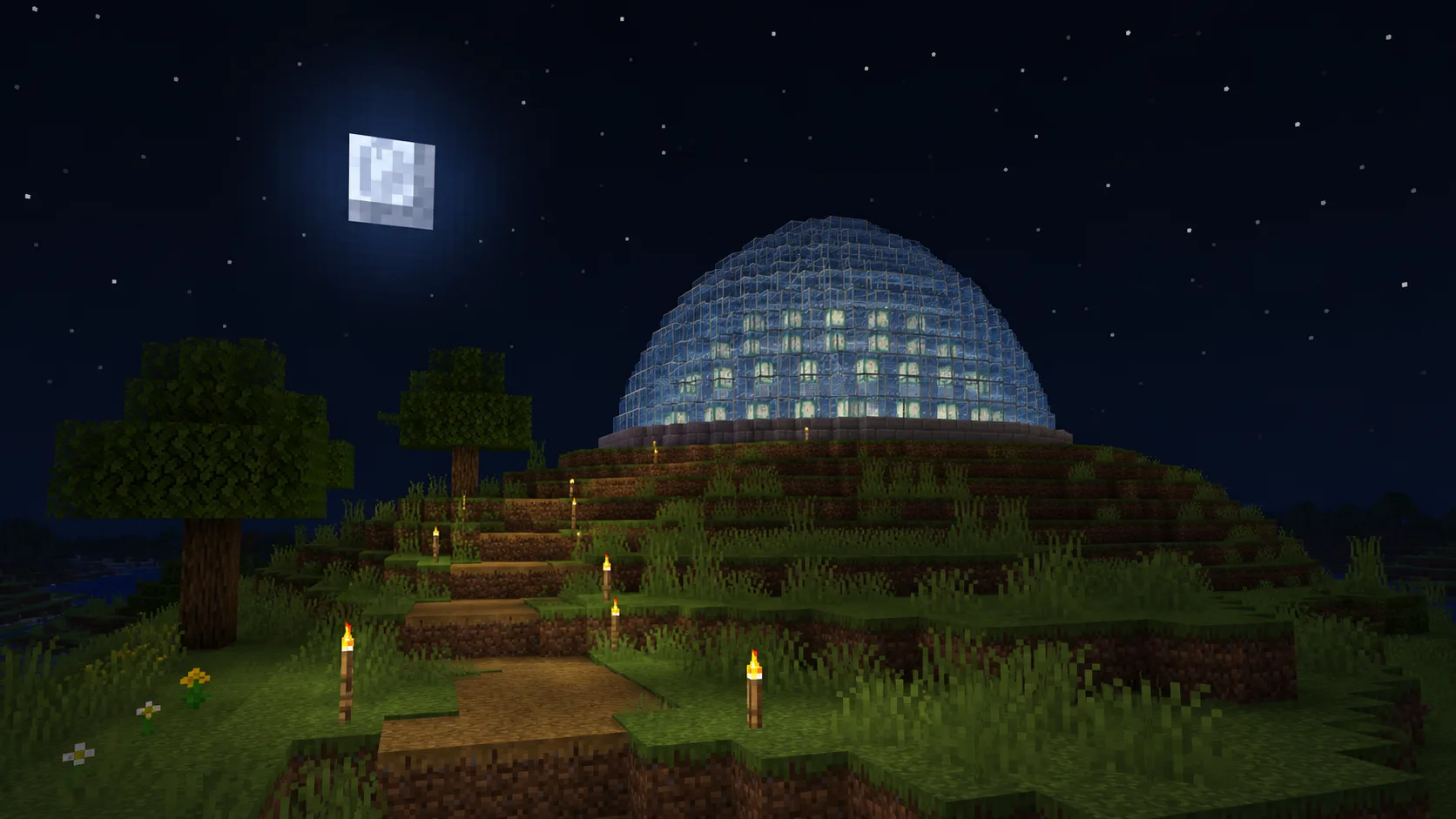
The same curve stopped at the hemisphere — roofs and observatories. Open the dome generator.
One sphere layer on its own: rings, pads and outlines. Open the circle generator.
A throwaway center pillar from bottom cap to top keeps every ring centered — remove it last, after the shell closes.
Layers mirror across the equator. Note each ring's pattern on the way up and reuse it in reverse — half the counting.
On large spheres, toggle Show Previous Layers off while aligning a ring, then back on to check it against the stack.
The top and bottom caps step hardest. Stairs and slabs over the worst jumps make the silhouette read rounder from the ground.
Work standing on the finished rings inside the shell — scaffolding reaches the top cap and tears down clean.
Glass drops nothing without Silk Touch. For glass spheres, read the exact shell count from the Materials panel before smelting.
Click any block in the preview and it turns purple; click again to clear it. On a shape with dozens of rings that beats keeping your place on a printed chart.
Vertical Flip turns the whole model over, so you can read the bottom cap once the rings above have covered it. A flat layer chart never shows you that side.
A ball that reads round head-on can be lopsided from the side — the one failure a stack of flat layer charts cannot show you. Drag the model around and check the silhouette first.
A hollow glass sphere makes a clean star room or sky-base lounge. Diameter 21 gives a usable interior without a week of smelting.
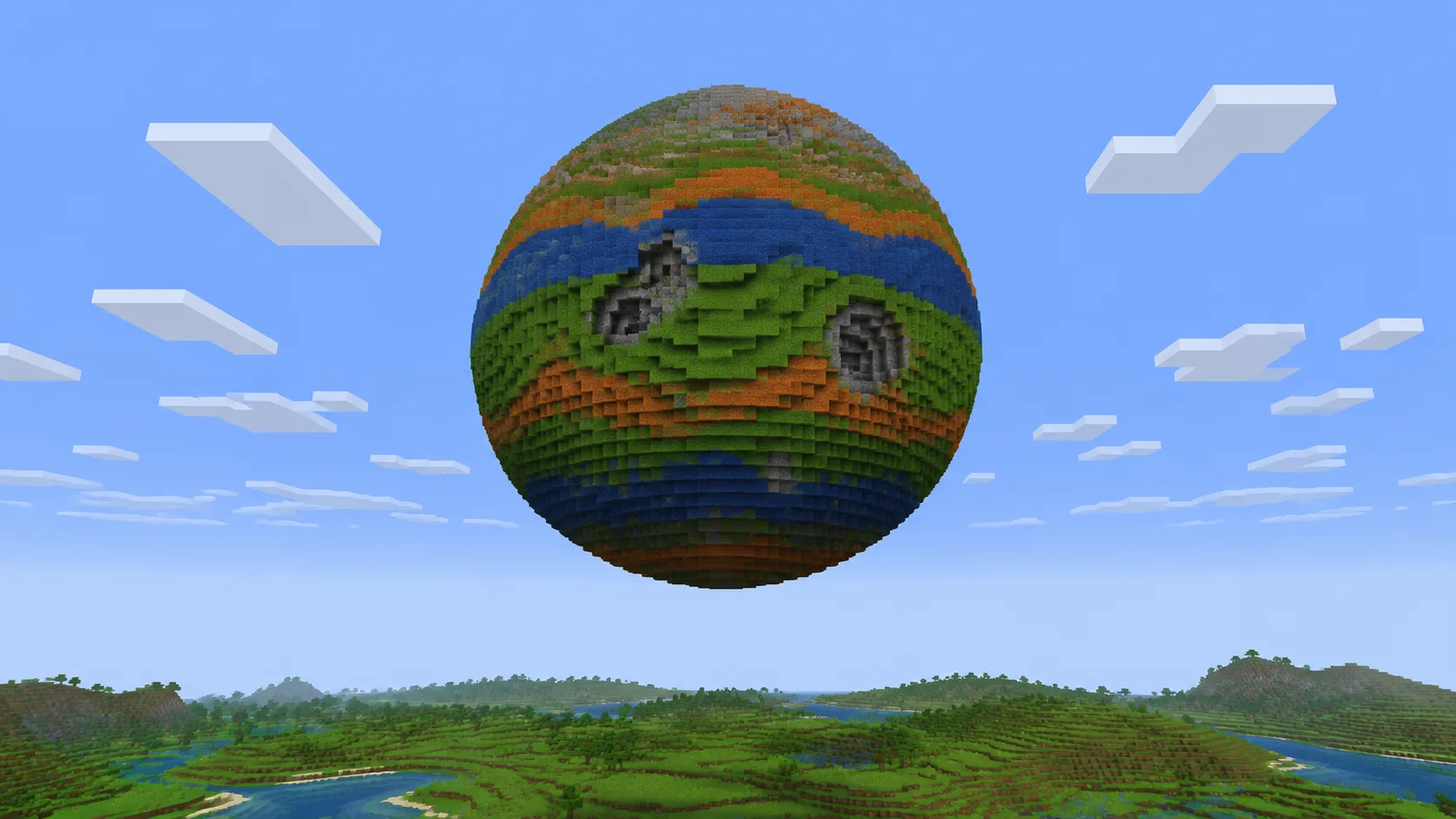
31 and up reads as a planet from render distance. Build the shell hollow, then band it with biome colors and craters.
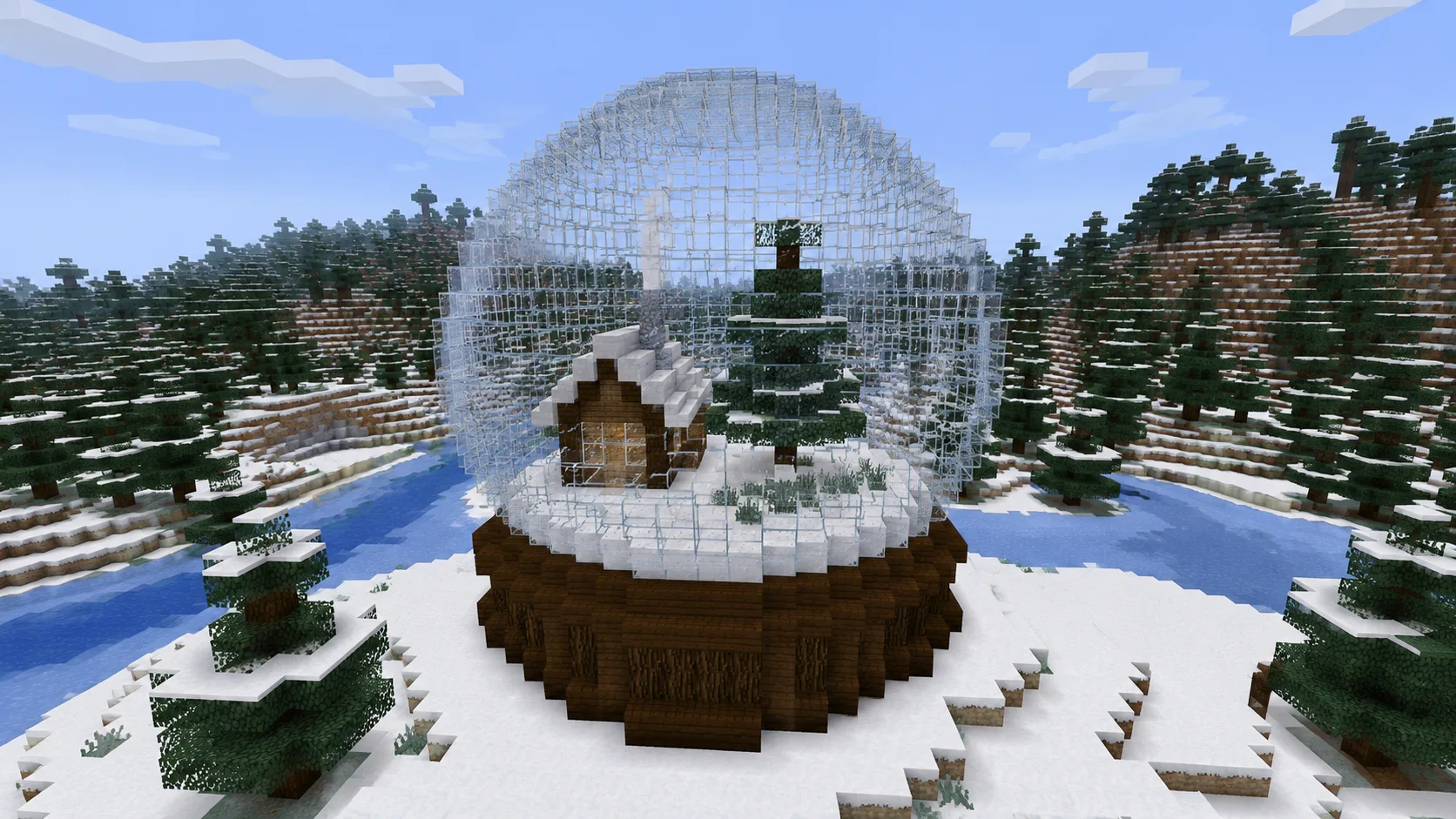
Glass shell first, tiny winter scene inside second. Hollow mode keeps the interior open so the scene stays visible.
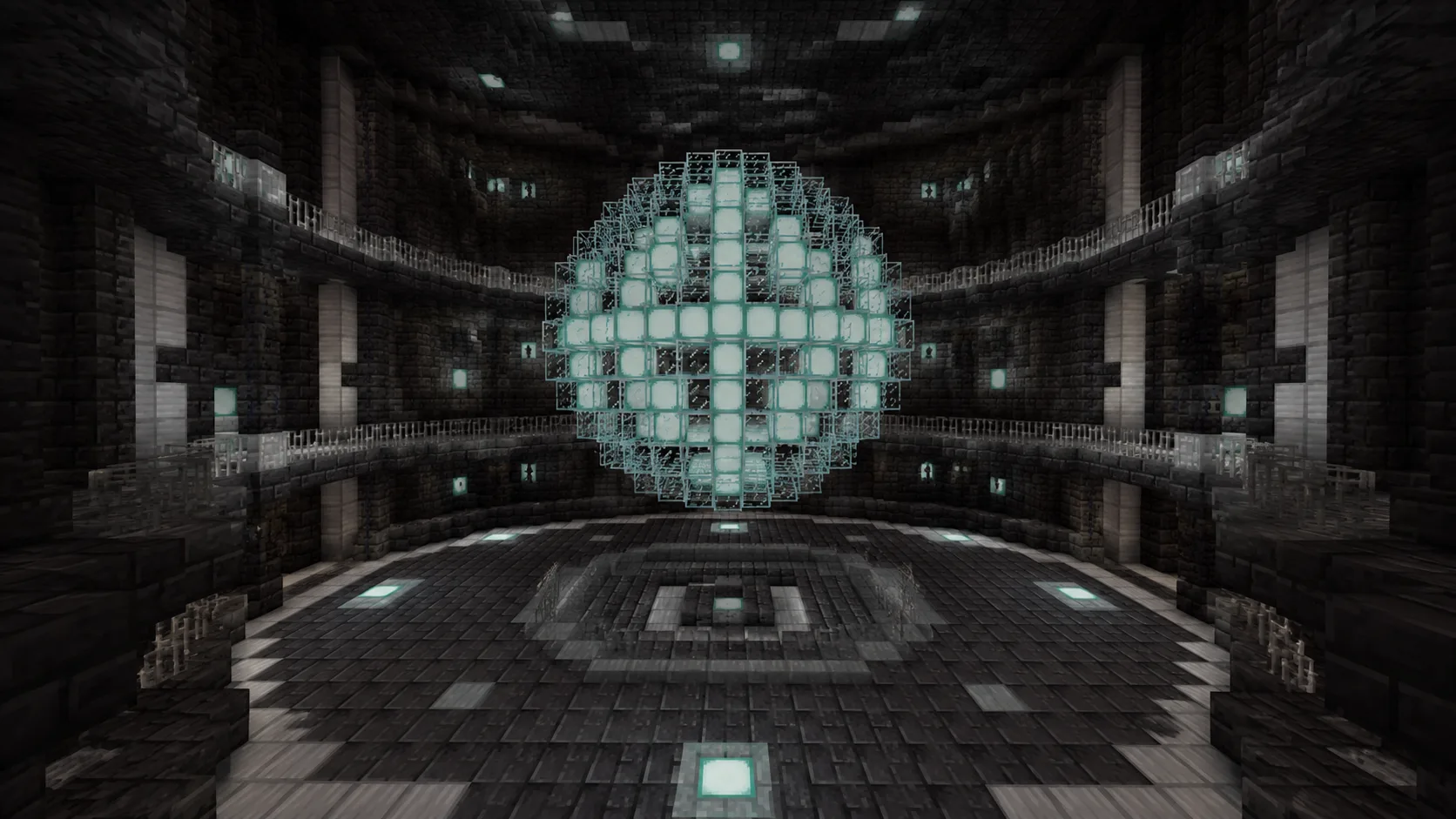
A central orb anchors sci-fi bases, End builds and Nether hubs. Highlight Center aligns beams and shafts through the middle.
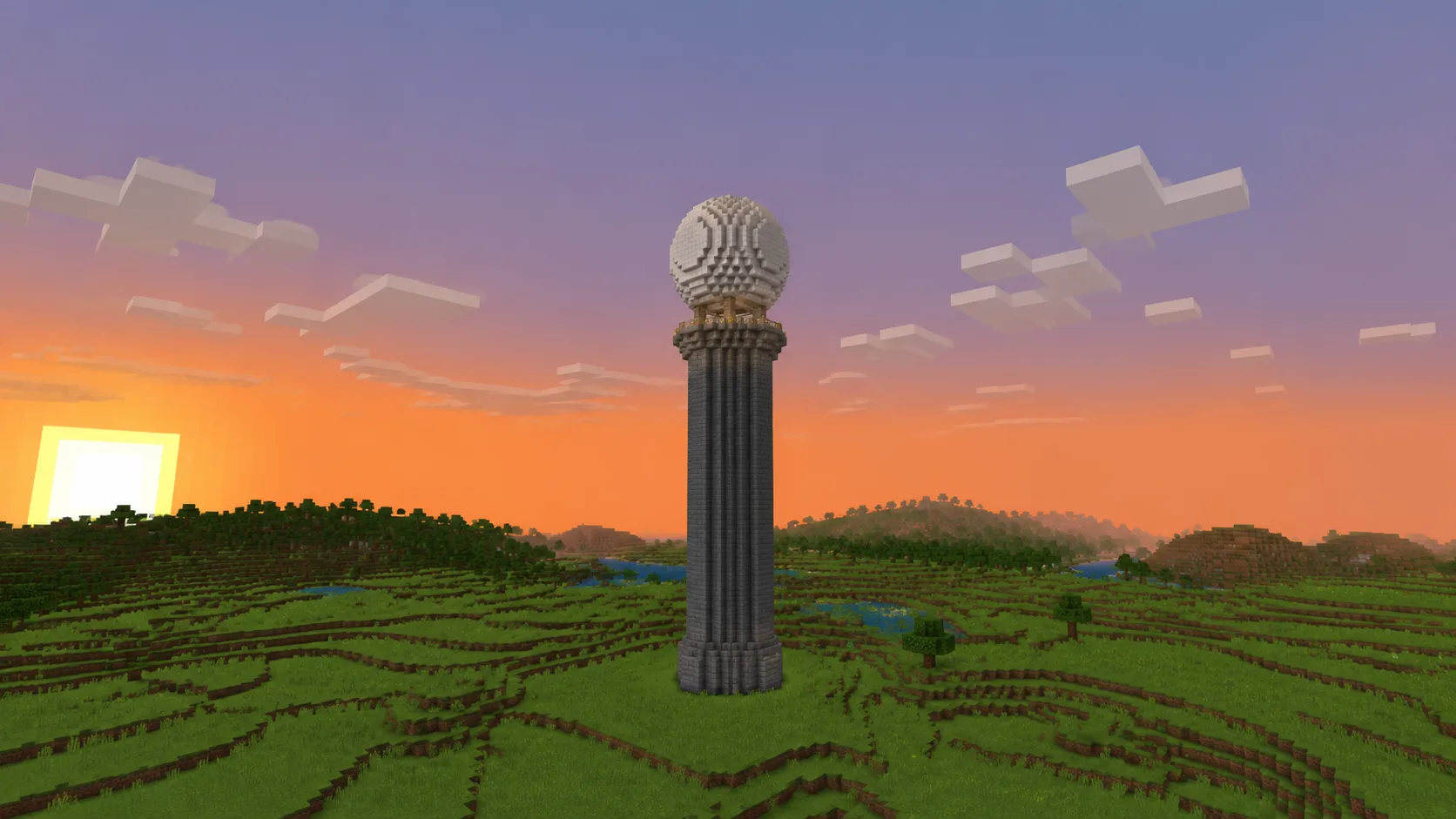
A 13 or 17-block sphere caps a tower with a landmark you can see from render distance. Odd diameters center on the shaft.
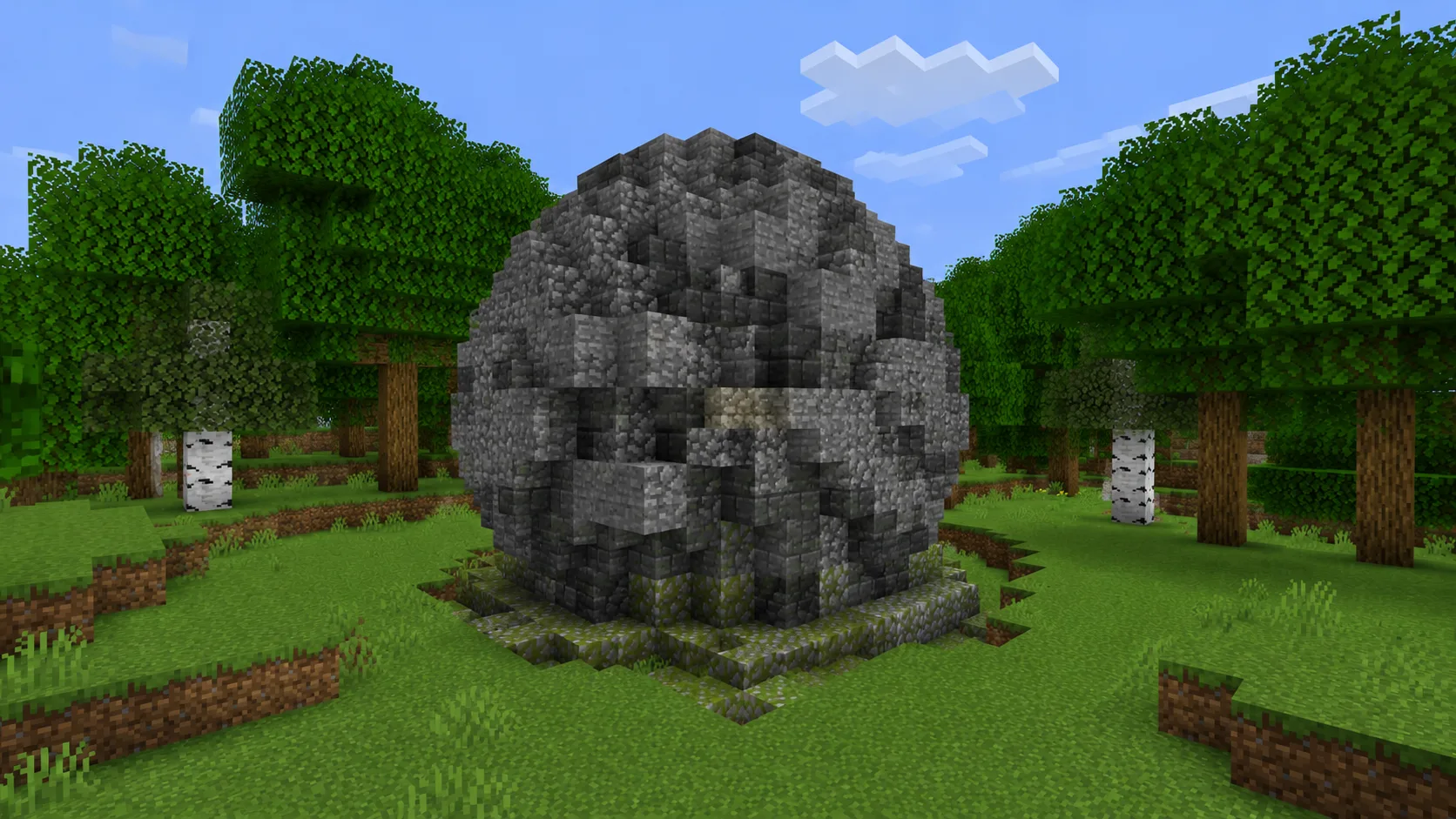
The one job for Solid mode: small stone or deepslate boulders that read dense and never need an interior.
 Tool
Tool The top half of this sphere: roofs, observatories, greenhouses.
Open tool →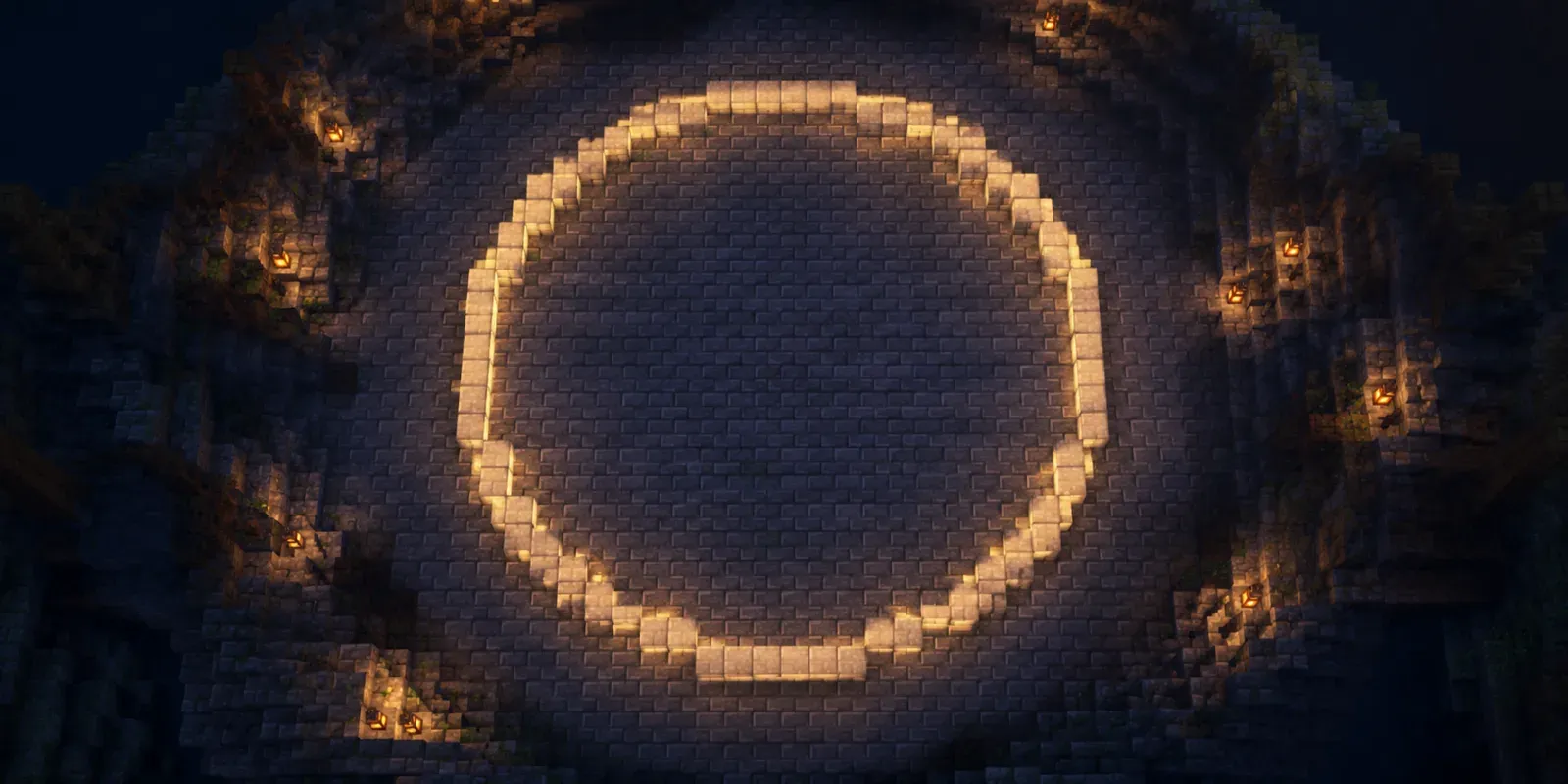 Tool
Tool Flat rings and ellipses — every sphere layer is one of these.
Open tool →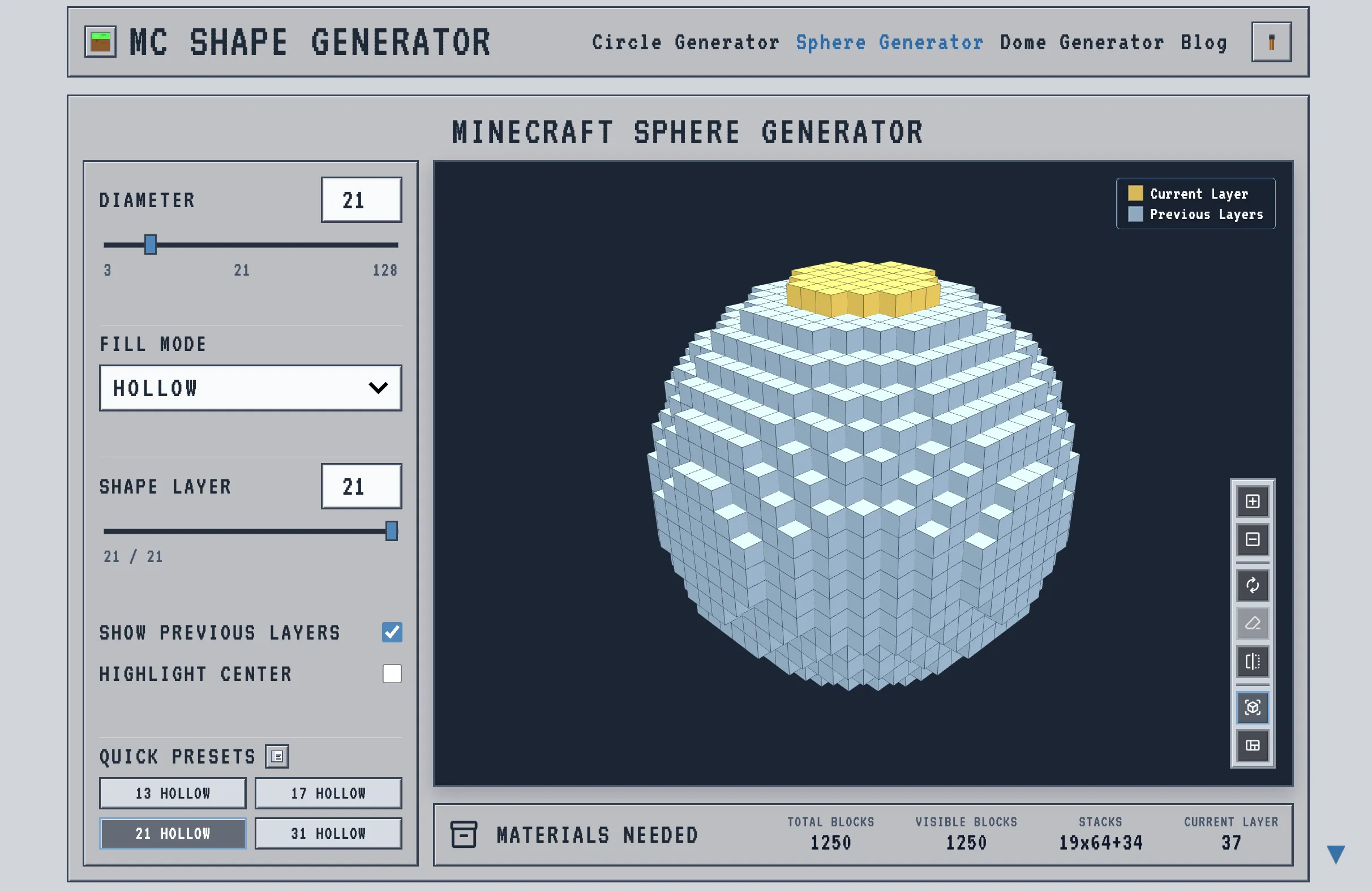 Guide
Guide The full walkthrough with screenshots, from bottom cap to top.
Read guide →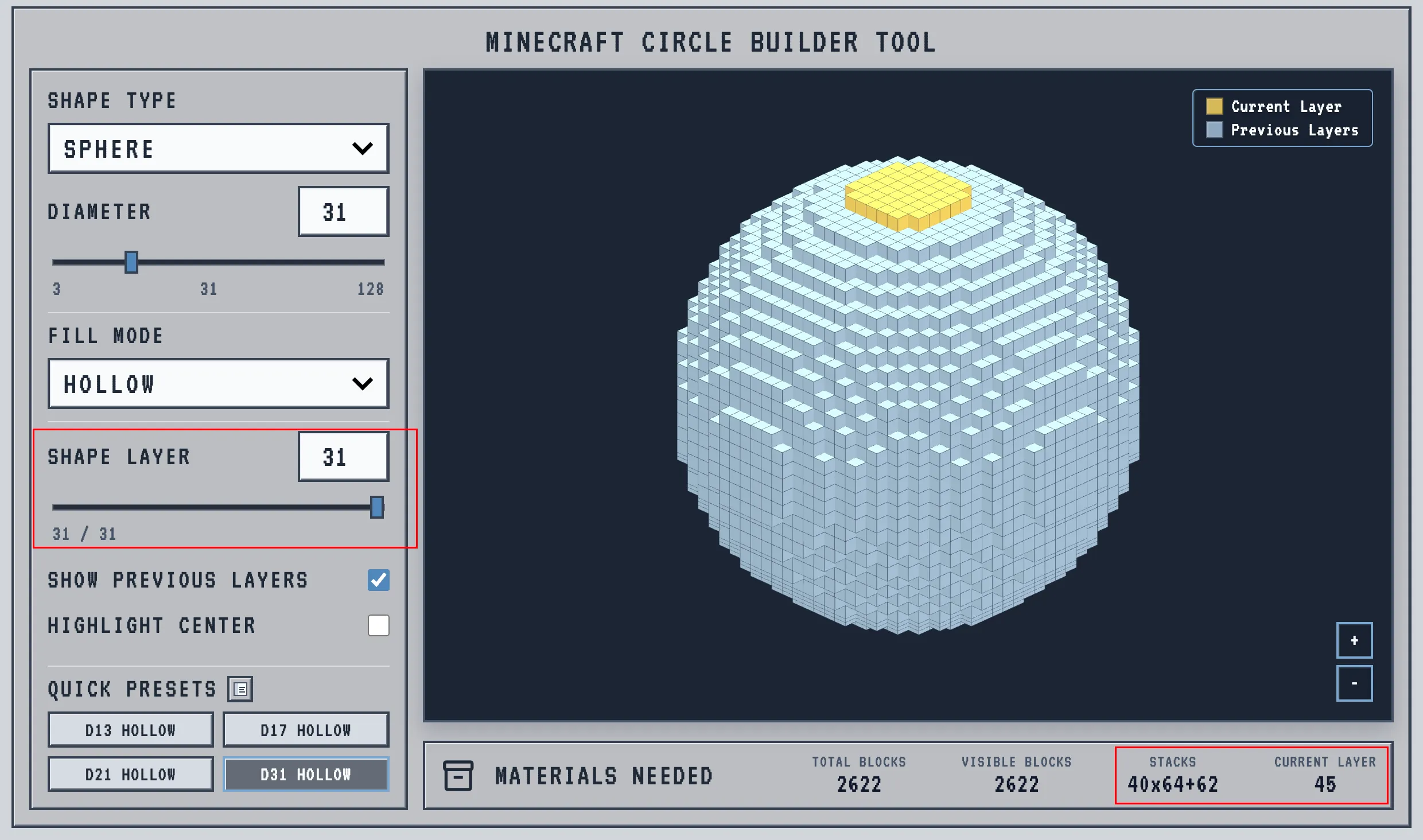 Guide
Guide What Total, Visible, Stacks and Current Layer each mean.
Read guide →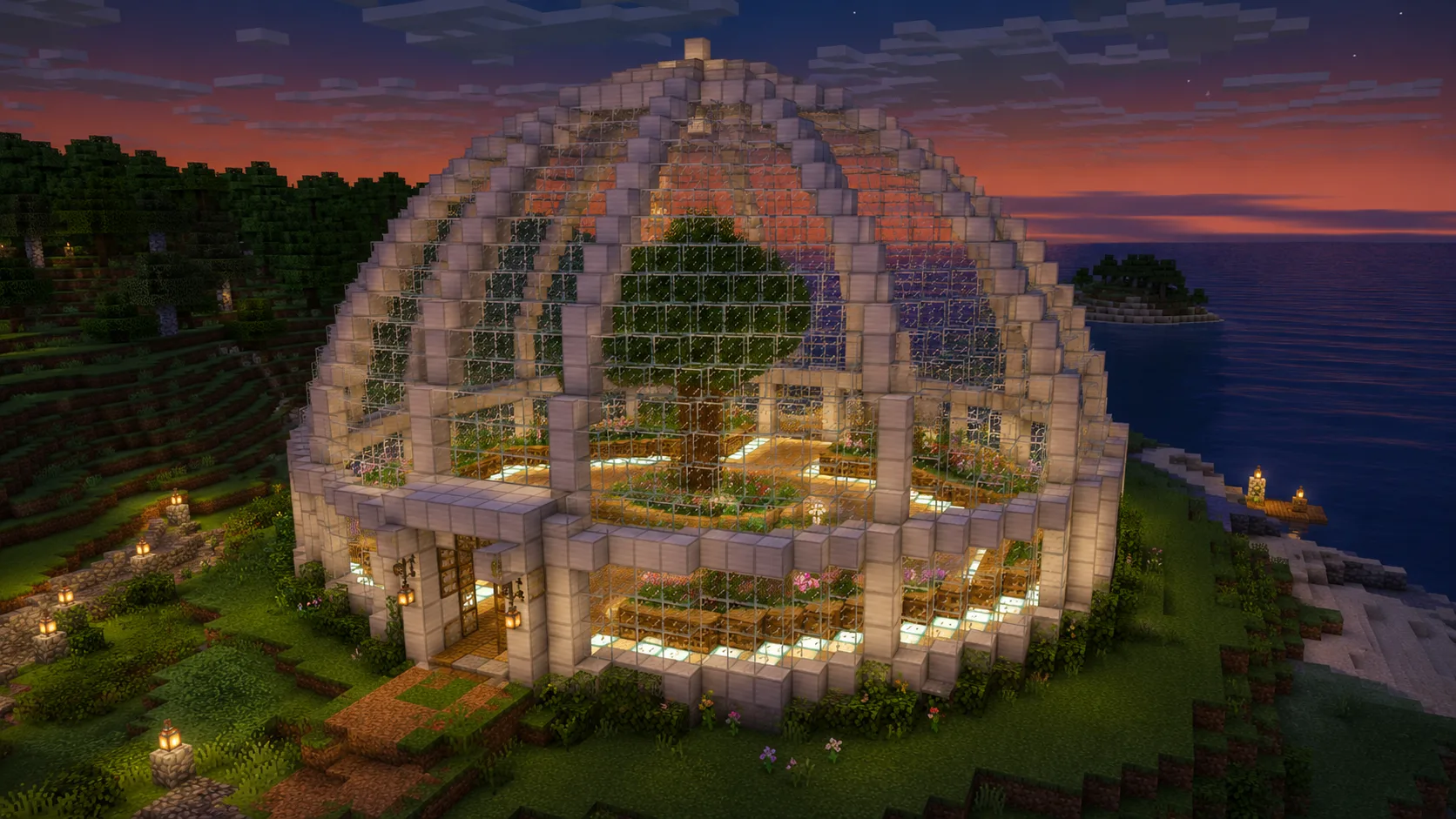 Guide
Guide Materials, lighting and build order for glass shells.
Read guide →Did the blueprint work? Stuck? Tell us what you're building